Work with your local codebase using any AI

AI Badger prepares focused repository context locally for any AI chat. Use it from the command line, or from VS Code for file and Git-change workflows.

No repository integration. No provider API keys. Context leaves only when you explicitly share it.

Free and open source under the MIT License
badger
 /\_/\( o.o ) > ^ <
🦡 AIBADGER
Local-first code context
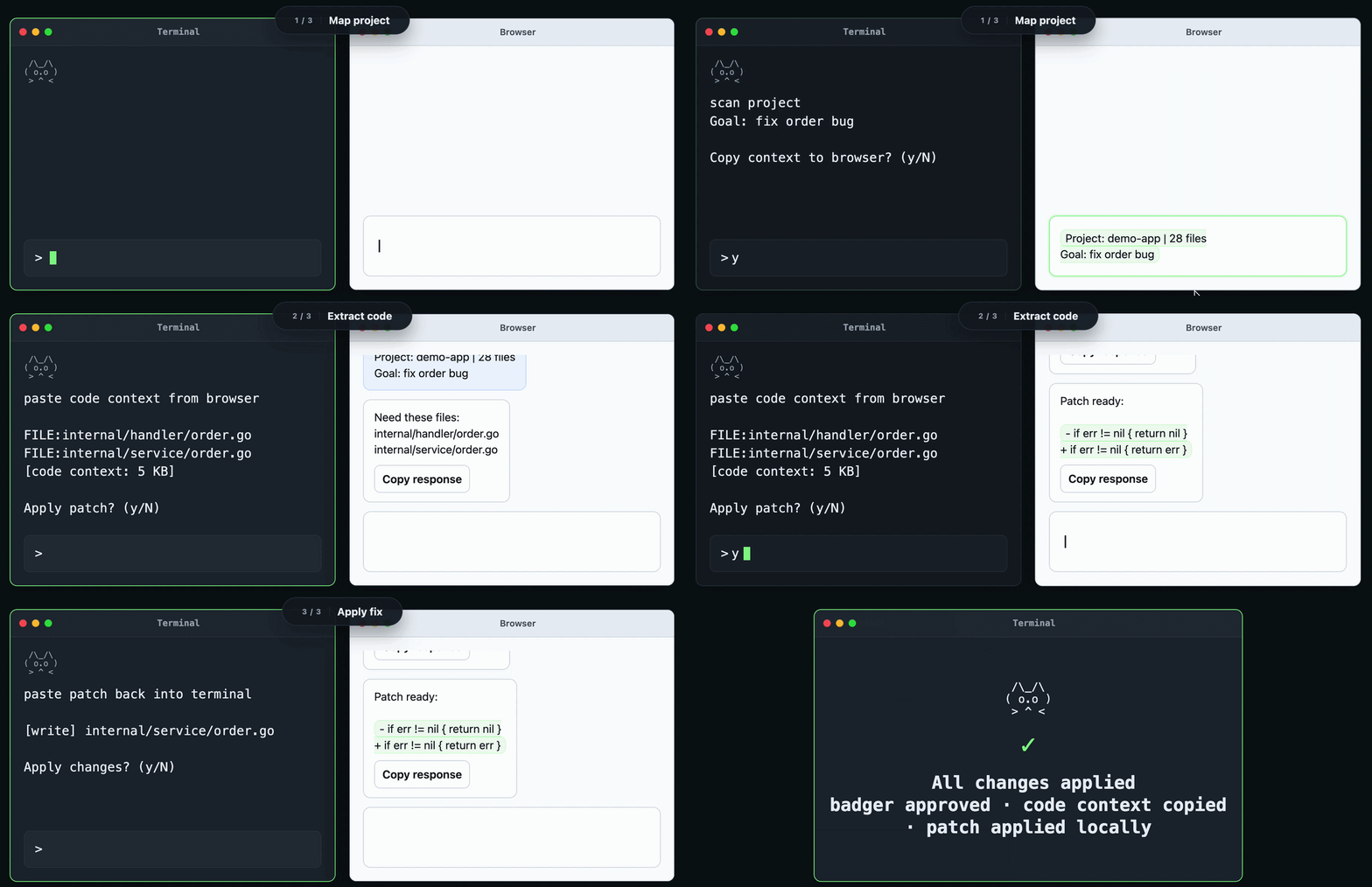
Pipeline: [Map]ExtractApply

Paste a goal or diff. Press Enter.

Commands: /help /review /exit

> 1 Describe the coding task...

?

Why it exists

|
AI chats need context, but dumping a whole repository is noisy, risky, and hard to manage. Badger never sends repository content to an AI provider on its own. You decide what to share and where to send it.

Use AI Badger where you work

Use AI Badger from the command line or VS Code. The CLI provides the full repository-aware context engine, while VS Code brings file and Git-change workflows into the editor.

Command line

Repository-aware context from the command line

  • Maps repository structure locally
  • Creates focused context for coding, design, and review
  • Builds repository-aware review payloads and can retrieve more context when needed
  • Powers Deep Review in the VS Code extension
VS Code

Files and Git changes from the editor

  • Copy selected files or Git changes from Explorer and Source Control
  • Review one repository or the whole workspace
  • File and Git-change workflows work without the CLI
  • Add the local CLI when you need repository-aware Deep Review

See a review in action

Git changes become focused local context for a review in your AI chat. You choose the chat. You choose what gets shared.

AI Badger review demo: Git changes become focused context for an AI chat

How a review works

AI Badger prepares the context locally. Your AI chat does the review.

1. Git changes

Start from the diff you already have, on the command line or in VS Code.

2. Focused context

Badger prepares a bounded, repository-aware payload locally.

3. Review in your AI chat

You paste into ChatGPT, Claude, Gemini, or another chat of your choice.

Works with any AI chat

Use ChatGPT, Claude, Gemini, or another AI chat. No provider lock-in.

Local-first by design

Your repository is processed locally. Context leaves only when you explicitly share it.

Focused, bounded context

Send what the review needs, not a whole-repository dump.

You control what gets shared

Badger never sends repository content to an AI provider on its own. You copy context and choose where to send it.