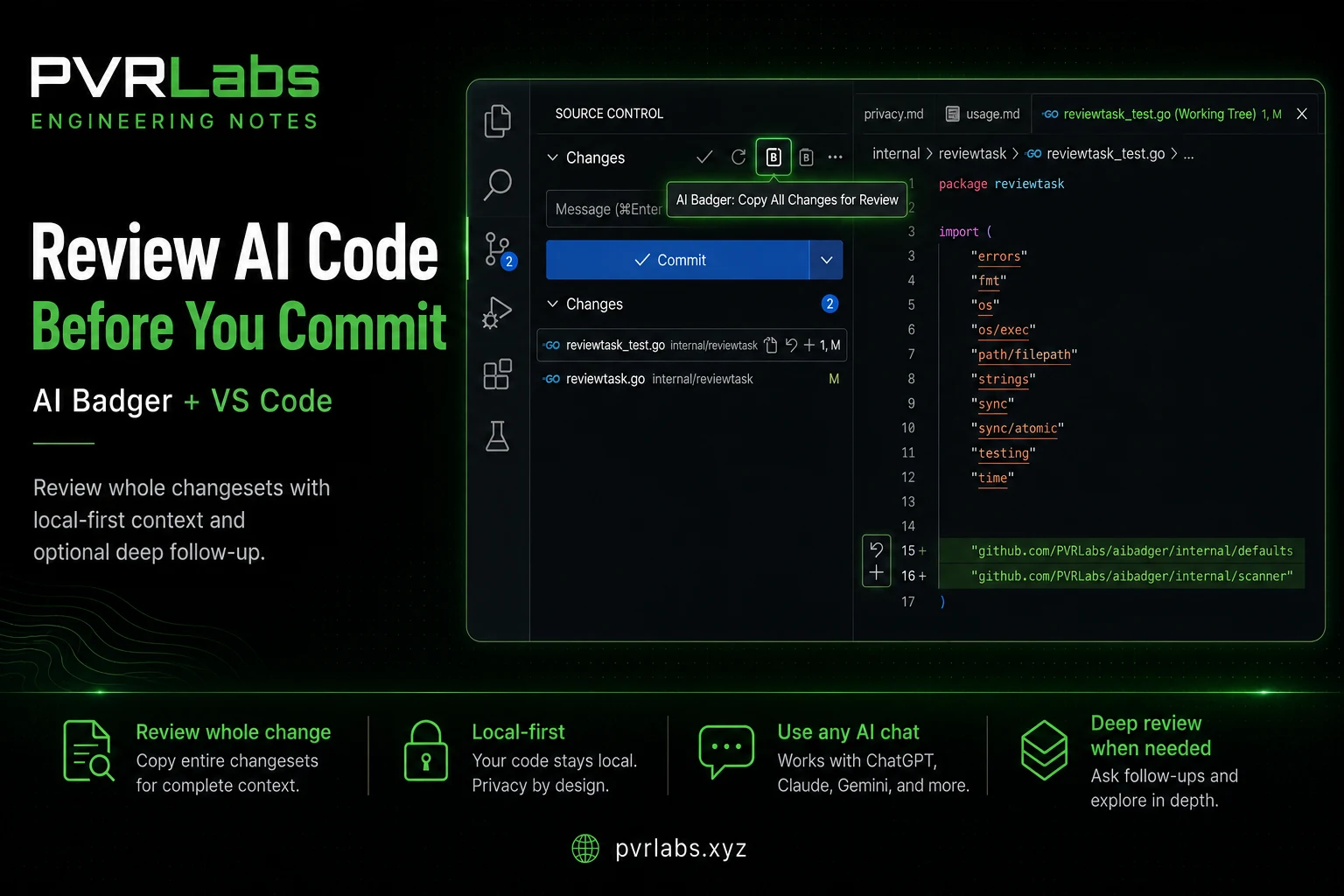
Coding agents have changed how I use VS Code.
I still use it for development, but increasingly the implementation work happens somewhere else. An agent takes a task, edits several files, runs tests, and eventually hands the repository back to me.
At that point, my job is different.
I am not primarily writing the code. I am reviewing what changed.
That means I spend a lot of time in VS Code's Source Control view, looking through diffs, making small edits, and deciding whether a change is actually ready.
AI Badger adds a simple workflow on top of that: take the changes already visible in Git, package them into a useful review request, and copy that request into the AI chat of your choice.
No provider integration is required. Nothing is uploaded automatically. You decide what gets copied and where you paste it. (View the VS Code extension)
Start with the whole change
For agent-generated work, I normally want to review the entire change, not individual files.
If an agent changed eight files, I do not necessarily know in advance which one contains the important bug. Selecting a subset before the review would defeat part of the purpose.
- Let the coding agent finish the task.
- Open the repository in VS Code.
- Go to Source Control.
- Run AI Badger: Copy All Changes for Review.
- Paste the result into ChatGPT, Claude, Grok, or another AI chat.
- Compare the findings against the actual diff in VS Code.
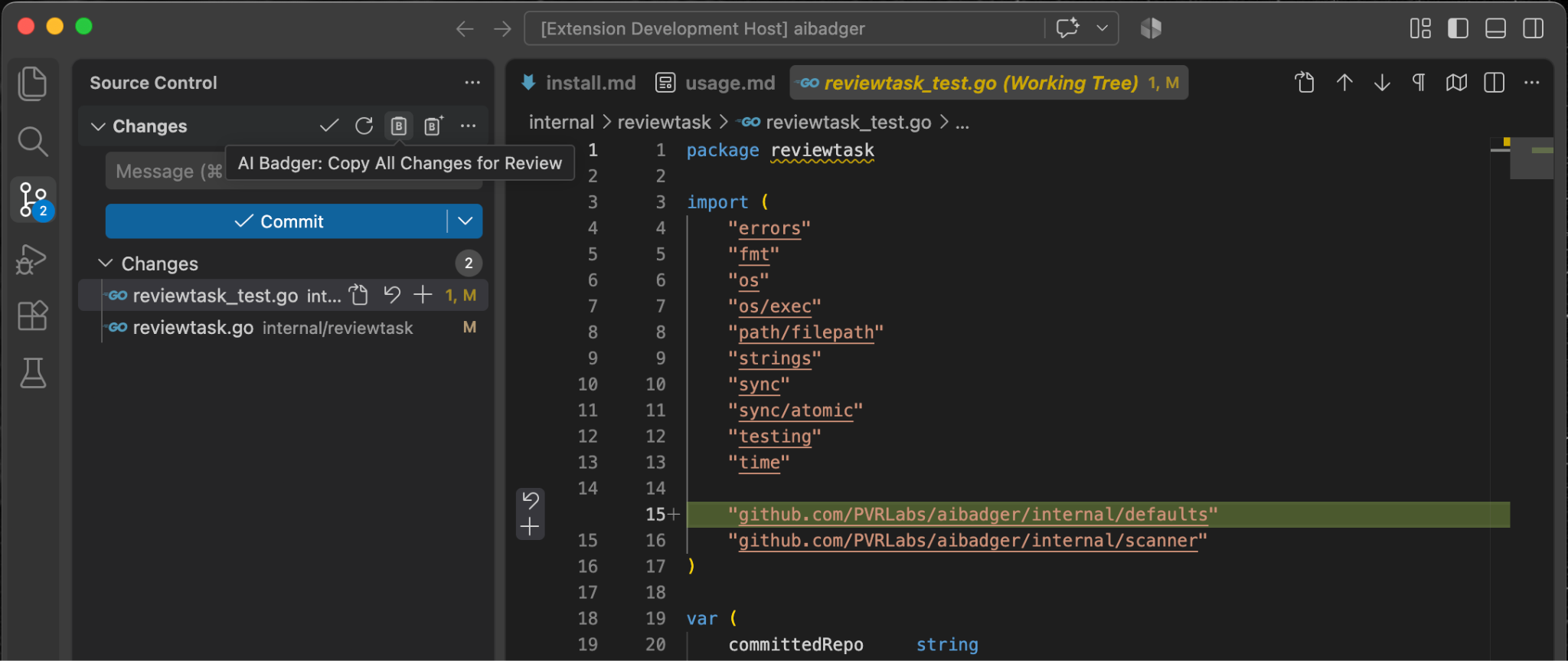
The review request contains the repository's current Git changes, including staged and unstaged modifications, additions, deletions, renames, and untracked changes where applicable.
For modified text files, AI Badger can also include bounded full-file context when useful. Files that cannot be included in full remain represented by the diff, with explicit status information rather than silently disappearing.
Binary contents are not copied.
Most importantly, this workflow runs entirely inside the VS Code extension. You do not need the Badger CLI for a normal review.
Why not just copy the Git diff?
You can. For a small change, manually copying a diff into an AI chat may be enough.
The friction starts when this becomes a regular workflow. You need to make sure the complete change is represented, preserve understandable file paths, provide enough surrounding context, handle larger changes, and give the model clear instructions about what kind of review you want.
AI Badger turns that into one action from the place where I am already looking at the change.
The result is still just text on the clipboard. There is no hidden AI service behind the extension and no API key to configure.
VS Code remains my review environment. The AI chat remains where I discuss the review.
Review the findings against the code, not only the diff
After copying the review request, I paste it into an AI chat and let another model inspect the change.
For harder reviews, I prefer using a different model from the one that generated the implementation. For example, if a coding agent produced the change, I may review it with a high-reasoning model such as GPT-5.6 Sol on High. The point is not the specific model. It is getting an independent second opinion with different failure modes.
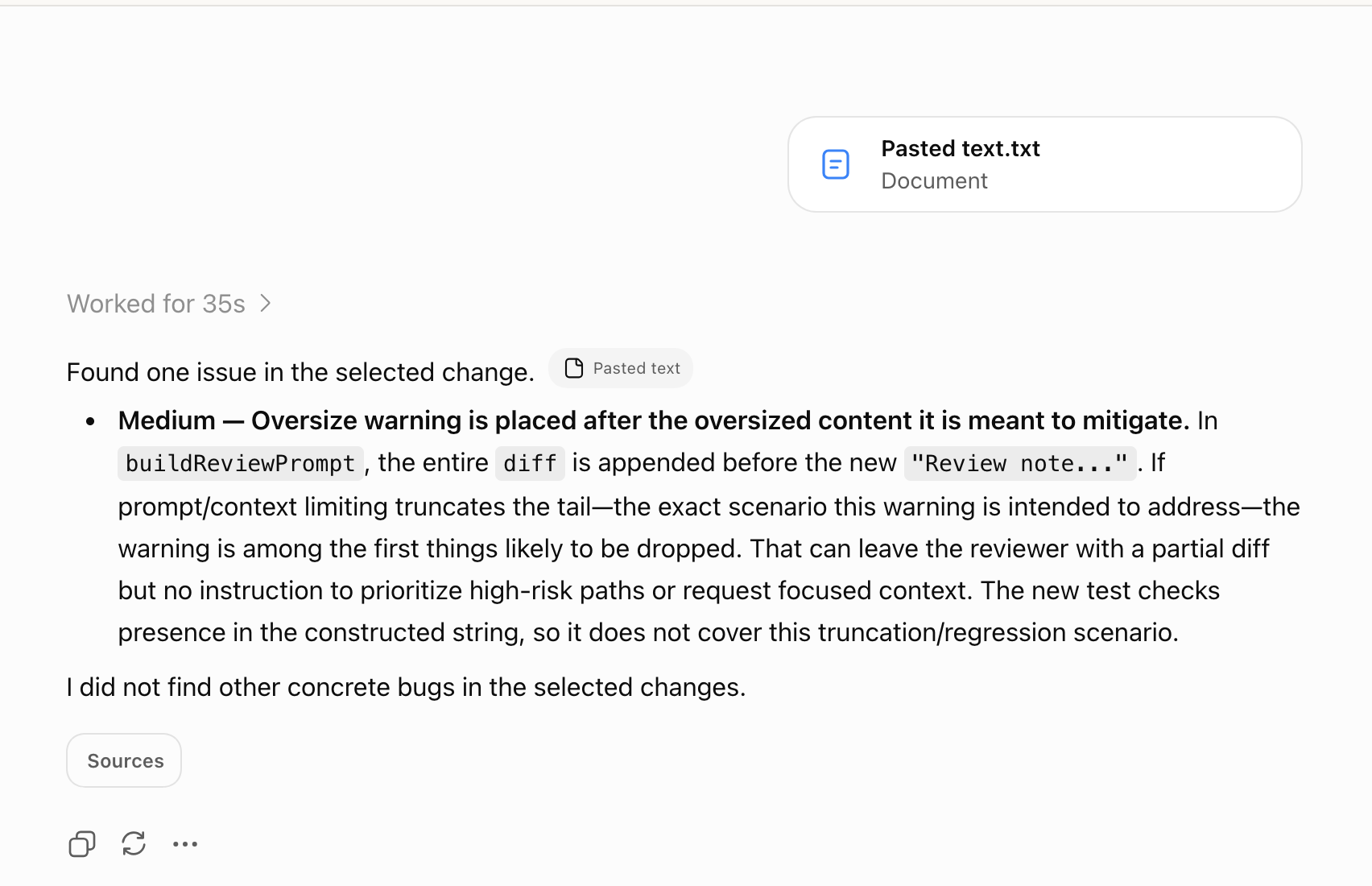
I do not treat this as a replacement for reading the diff.
I also do not assume that the diff alone is enough to validate every finding. A diff shows what changed, but the behavior of that change may depend on unchanged code elsewhere in the file, a caller in another file, a shared interface, configuration, tests, or a repository convention.
The AI review is another pair of eyes. It can point me toward a suspicious interaction, edge case, regression, or missing test. I then go back to the corresponding code in VS Code, follow the relevant context beyond the changed lines when necessary, and decide whether the finding is real.
This is especially useful with agent-generated changes because the reviewer is separate from the agent that produced the implementation.
The coding agent has already made its choices. The review conversation starts from the resulting change set.
Adding a specific file during a review
Sometimes the review conversation moves beyond the files that changed.
Maybe a finding depends on an unchanged interface. Maybe I notice a helper or configuration file that looks relevant while reading the diff.
If I already know which file I want to add, I do not need repository discovery.
From the Explorer or editor I can use:
AI Badger: Copy File for AI
or:
AI Badger: Copy Selected Files for AI
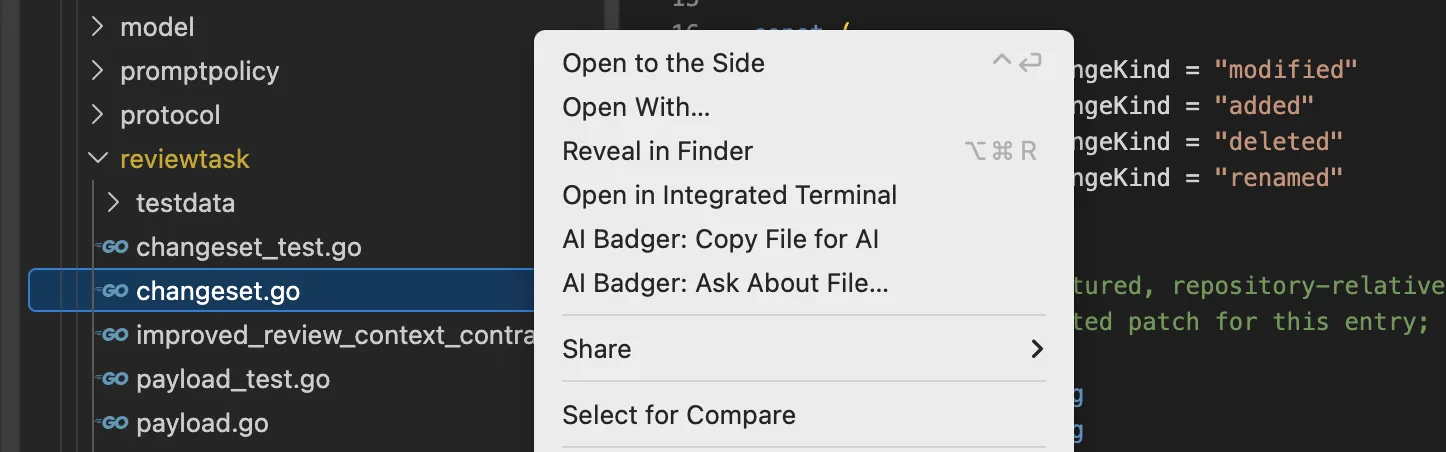
The selected files are copied with their project-relative paths, and I can paste them into the same review conversation.
This is useful because review is rarely perfectly linear. You start with the diff, investigate something, add a file, ask another question, and continue.
The same Copy for AI commands are also useful for broader design and architecture discussions where there may not be a Git change involved at all. That is a different workflow and something I plan to cover separately.
Where a diff-based review starts to break down
For many changes, the Git diff plus bounded full-file context or an occasional supporting file is enough.
But a pure diff is often not enough. Some reviews depend on code that did not change, including code outside the changed files.
The reviewer may see something suspicious but be unable to confirm it without understanding an unchanged caller, a default value, a shared helper, or another repository-level assumption.
At that point I have two choices. I can start looking for those files manually. Or I can let the reviewer ask for the evidence it needs.
That is where Deep Review comes in.
Deep Review for complex changes
Deep Review is optional, but it is where I reach for a stronger reasoning model. By giving the reviewer a way to request additional repository context beyond the initial review package, it can investigate issues that the supplied changes and file context alone may not resolve.
Deep Review starts from the same Source Control view, but it uses the local AI Badger CLI to prepare a repository-aware review.
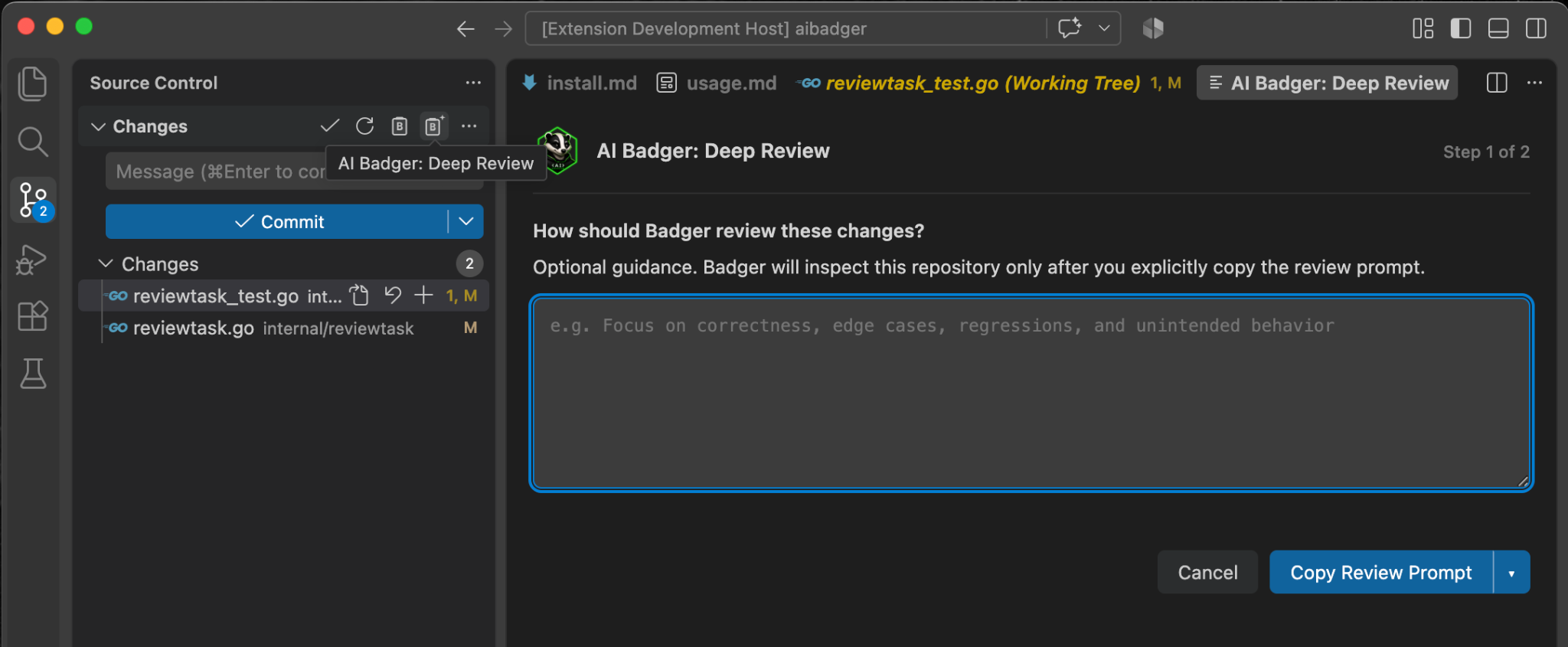
The guidance is optional. I can add something specific I want the reviewer to focus on, or simply copy the generated review prompt.
Unlike Copy All Changes for Review, Deep Review uses the Badger CLI to inspect the repository and add topology-aware context around the change.
That means Deep Review requires Badger to be installed locally.
brew install pvrlabs/tap/badger
badger --version
The VS Code extension and Badger CLI are separate on purpose. The extension owns the editor workflow. The CLI owns repository scanning and context generation.
Both are open source and local-first. Neither sends the repository to PVR Labs.
The important part: let the reviewer ask for evidence
The main advantage of Deep Review is not simply that it can create a larger initial prompt.
It is that the review can become iterative.
The second copy-and-paste step is not always needed. If the reviewer has enough context, it can return its findings immediately. I continue the review in VS Code only when the reviewer asks for additional evidence.
In the example shown here, the initial Deep Review prompt was pasted into the AI chat. Instead of immediately returning final findings, the reviewer asked to inspect one additional file:
FILE:internal/defaults/constants.go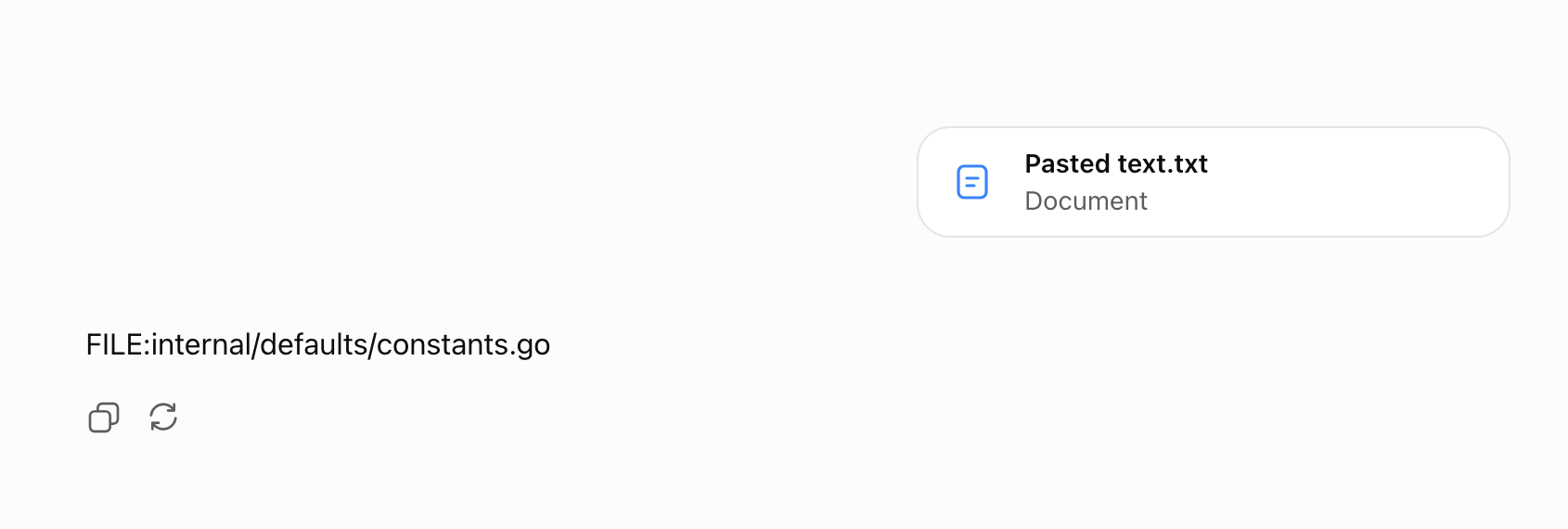
That is exactly the situation Deep Review is designed for. The AI has seen the enhanced diff and repository topology. It now has a concrete question that requires evidence from an unchanged file.
I copy that selector response back into the Deep Review panel.
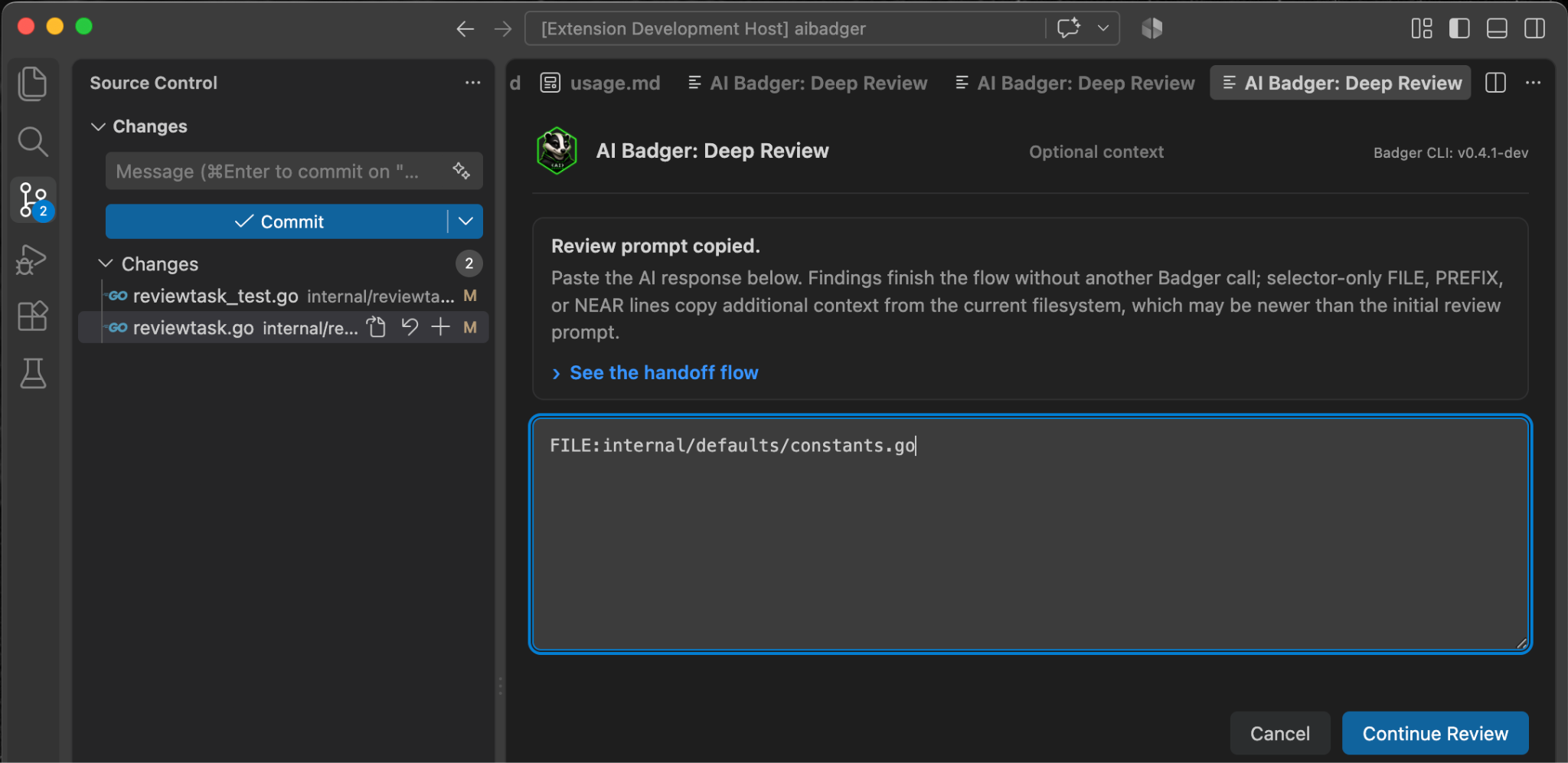
VS Code passes the request to the local Badger CLI, which retrieves the supplemental repository context. The original diff does not need to be sent again.
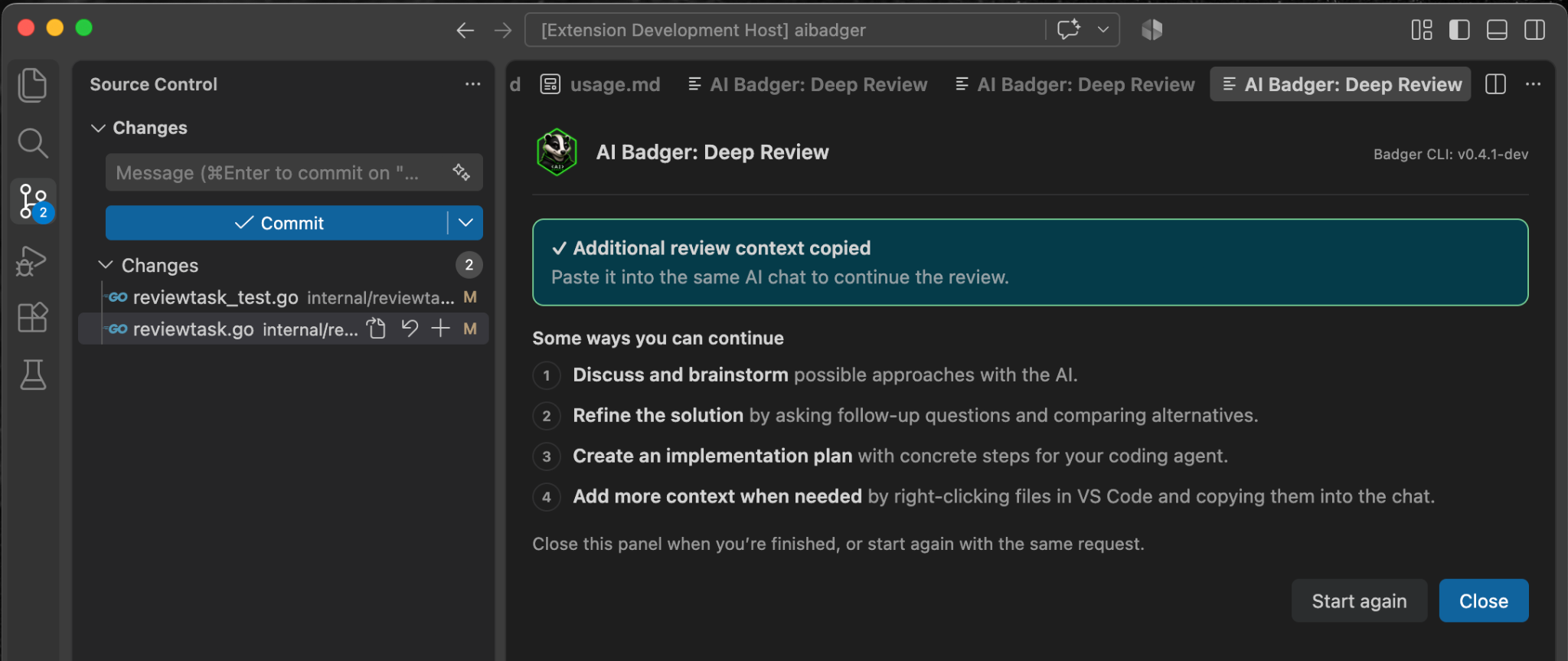
I then paste that additional context into the same conversation. The reviewer now has the evidence it asked for and can complete the review.
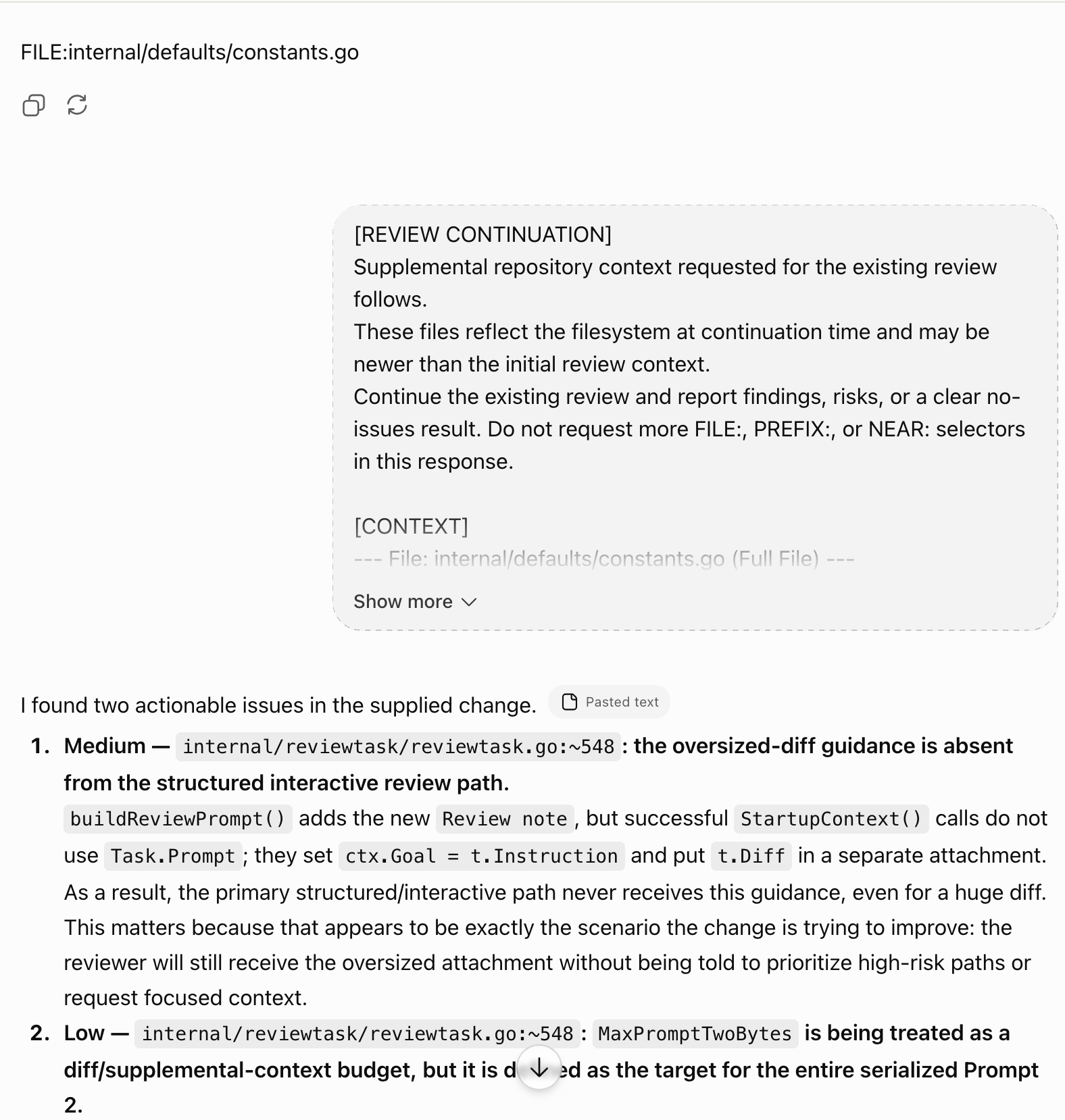
In this particular example, the normal review already found a concrete issue. Deep Review then went further: it requested an unchanged file, inspected the additional context, and returned a more complete set of findings.
That does not mean Deep Review will always find more bugs.
The important difference is that the reviewer does not have to guess when the diff is insufficient. It can explicitly ask for the repository context needed to confirm or reject a concern.
Focused context instead of dumping the repository
This is the part of Deep Review I find most useful.
The goal is not to upload or paste a large portion of the repository just in case some of it matters.
The workflow starts with the actual change. If the reviewer has enough information, it can return findings immediately. If it needs more evidence, it requests specific context and Badger retrieves it locally.
Coding agent
     ↓
Repository
     ↓
VS Code diff
     ↓
AI review
     ↓
Needs more evidence?
     ↓
AI Badger → focused repository context
     ↓
Same AI review conversation
That keeps the initial review focused while still giving the reviewer a path into the rest of the codebase when necessary.
Start simple
I do not use Deep Review for every change.
Most of the time I start with Copy All Changes for Review. It is fast, requires only the VS Code extension, and gives the AI the thing I actually want reviewed: the complete current change set.
If I know I need one specific unchanged file, I use Copy File for AI.
If the review becomes dependent on repository structure, or the reviewer discovers that it needs context I did not know to provide, I switch to Deep Review.
The progression is simple:
Review the whole change
        ↓
Add a specific file if needed
        ↓
Go repository-aware when the review requires it
Coding agents can do more and more of the implementation work.
But somebody still has to look at what they changed.
For me, that increasingly happens in VS Code.